
Quick answer: the website KPIs that matter most for a small business are leads or sales, conversion rate, cost per lead, lead-to-customer rate, revenue per visitor, organic search clicks, engagement rate, landing page conversion rates, Core Web Vitals and AI referral traffic. Track them monthly in one simple report, compare against the previous period and the same month last year, and pick one or two to improve at a time.
Why fewer numbers work better
Analytics tools can show hundreds of metrics. Most small business owners look at total visitors, feel good or bad, and change nothing. A KPI (key performance indicator) is only useful if a change in it would make you do something differently.
The ten below are chosen because each one connects to revenue or points directly at a fix.
The 10 KPIs
1. Leads or sales
The number that pays the bills: enquiries, bookings, quote requests, calls or orders from the website. In GA4, set each as a key event (GA4's name for conversions). Count calls and messages too, not just forms.
2. Conversion rate
Key events divided by sessions. It tells you how well the website turns visits into action. It is more useful per page and per channel than as one site-wide number, because a blog post and a pricing page should not convert at the same rate.
3. Cost per lead
If you pay for ads, divide spend by the leads they brought. Compare channels by this, not by clicks. A cheap click that never converts is expensive.
4. Lead-to-customer rate
How many website leads become paying customers. This needs a CRM or even a simple spreadsheet. If leads rise but customers do not, the issue is lead quality or follow-up, not the website. See lead automation for small businesses.
5. Revenue per visitor or average order value
For e-commerce, revenue per visitor combines conversion rate and order value into one number. For service businesses, estimate the average value of a new customer and multiply by website-sourced customers.
6. Organic search clicks and impressions
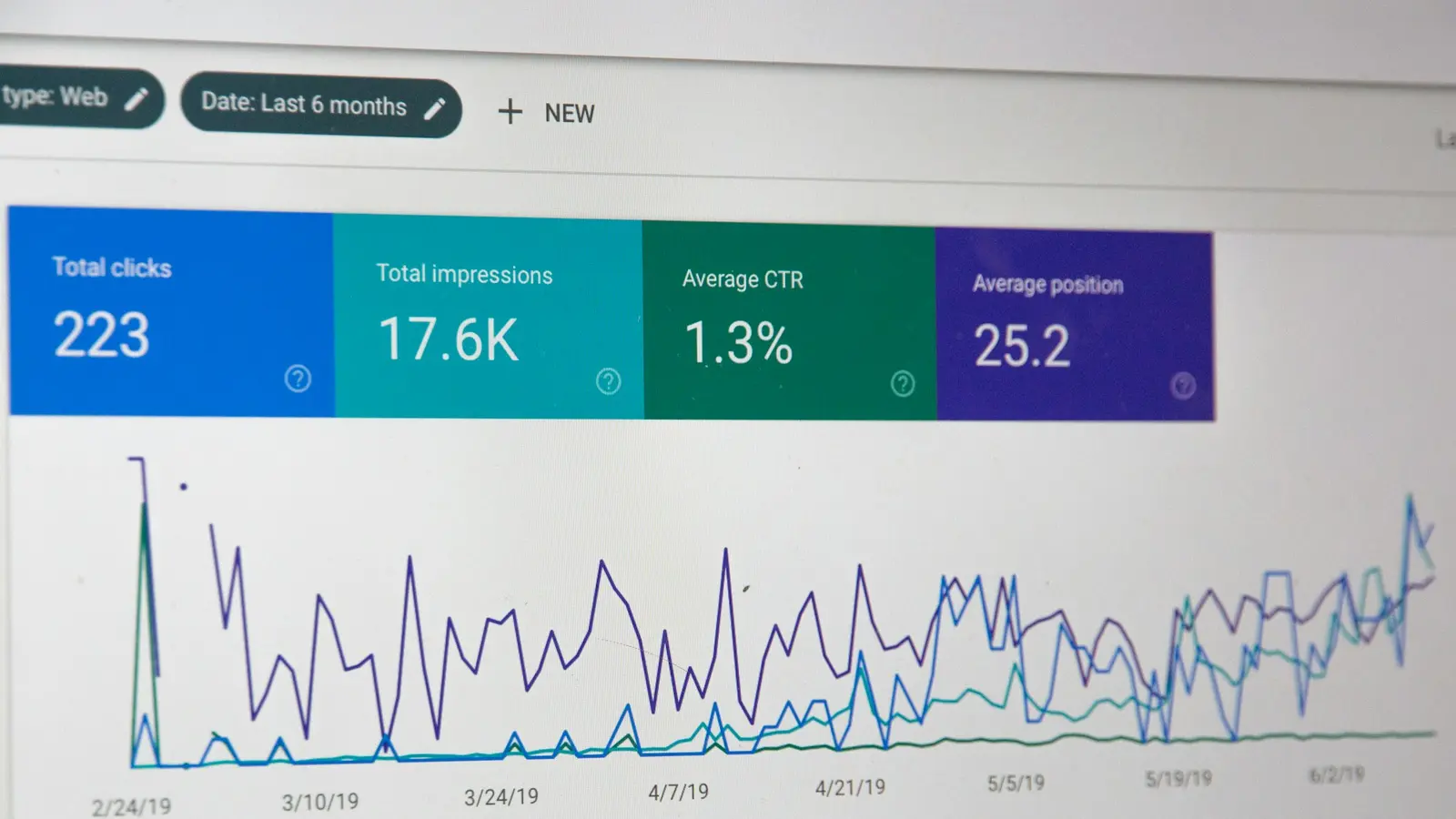
From Google Search Console, not GA4. Impressions show visibility; clicks show whether your titles and descriptions earn the visit. Watch your important pages, not just the site total.
7. Engagement rate
GA4 counts a session as engaged if it lasts longer than 10 seconds, has a key event or includes two or more page views. Engagement rate is the share of engaged sessions (GA4's bounce rate is simply the opposite). A sudden drop on a key page usually means a broken element, slow load or mismatched traffic.
8. Landing page conversion rates
Which entry pages turn visitors into leads, and which do not. This is where most conversion rate optimization work starts: fix the high-traffic pages with low conversion first.
9. Core Web Vitals pass rate
Google's page experience measures: LCP (loading, good at 2.5 seconds or less), INP (responsiveness, good at 200 milliseconds or less) and CLS (visual stability, good at 0.1 or less). Check the Core Web Vitals report in Search Console. Slow mobile pages cost both rankings and leads. See Core Web Vitals explained.
10. AI referral traffic
Sessions from ChatGPT, Perplexity, Gemini, Copilot and other assistants, separated with a custom channel as described in how to track AI search traffic in GA4. Still small for most businesses, but growing, and a useful early signal of AI visibility.
A one-page monthly report
| KPI | This month | Last month | Same month last year | Notes / action |
|---|---|---|---|---|
| Leads / sales | ||||
| Conversion rate | ||||
| Cost per lead (ads) | ||||
| Lead-to-customer rate | ||||
| Revenue per visitor or customer value | ||||
| Organic clicks / impressions | ||||
| Engagement rate | ||||
| Top 5 landing pages: conversion rate | ||||
| Core Web Vitals (mobile) | ||||
| AI referral sessions |
Keep the "Notes / action" column honest: one sentence on what changed and what you will do about it. A free Looker Studio dashboard can fill most of the numbers automatically from GA4 and Search Console.
Metrics to stop obsessing over
- Total page views without context
- Time on site on its own (long can mean confused, not interested)
- Social followers that never visit the site
- Keyword rankings for terms nobody searches
- Bounce rate from old Universal Analytics reports, which is defined differently from GA4
Before you trust any number
Make sure tracking is right: key events fire once per real action, internal traffic is filtered, spam referrals are excluded and consent settings are working. Our GA4 and Microsoft Clarity setup guide covers the checks. Bad tracking makes every decision worse.
Frequently asked questions
What is a good website conversion rate?
It depends heavily on industry, traffic source and what counts as a conversion. Compare against your own history and between your own pages first; that tells you more than an industry average.
How often should I review website KPIs?
Monthly for the full report, weekly for leads if volume is high. Avoid daily reactions to small changes.
Which tool should I use?
GA4 for behavior and key events, Google Search Console for organic search, your CRM for lead quality and revenue, and Microsoft Clarity to see why pages underperform.
What if my numbers are too small to be meaningful?
Look at longer periods, such as quarters, and focus on qualitative evidence like session recordings and customer conversations. Our guide to A/B testing with low traffic has more ideas.
Want a dashboard with these ten numbers, set up correctly and explained in plain language? See our analytics and tracking service, or start with a free audit.